Sat Mar 07 2026

SnapLog is a vision-to-form AI inventory cataloging mobile application designed to build a searchable item catalog rapidly. By taking a photograph of any item, the system uses Gemini 2.5 Flash to automatically analyze and extract the title, category, color, and condition in under 10 seconds.
Screenshots
| Camera Screen | AI Scan Loading | Review Form |
|---|---|---|
 | 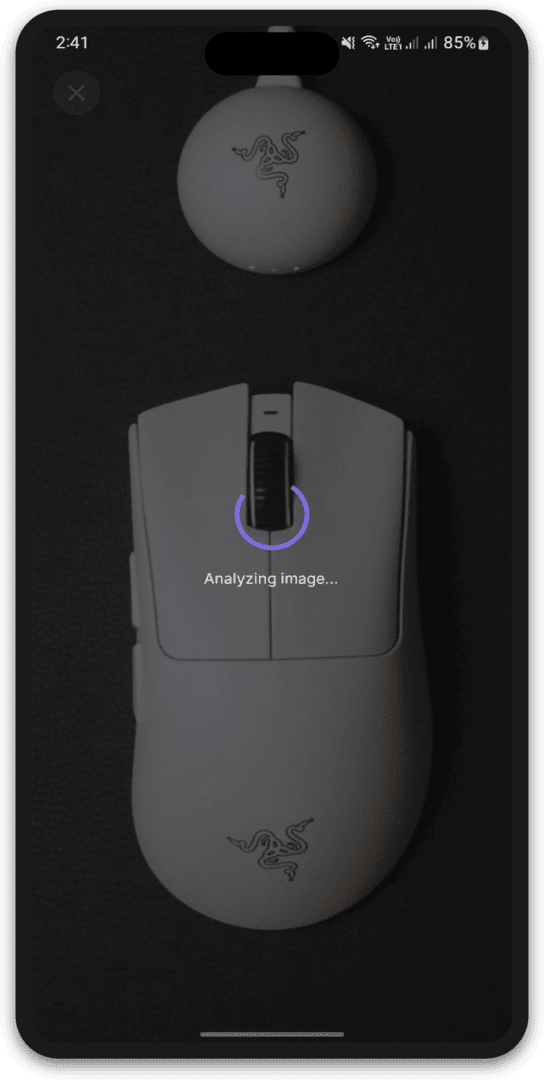 | 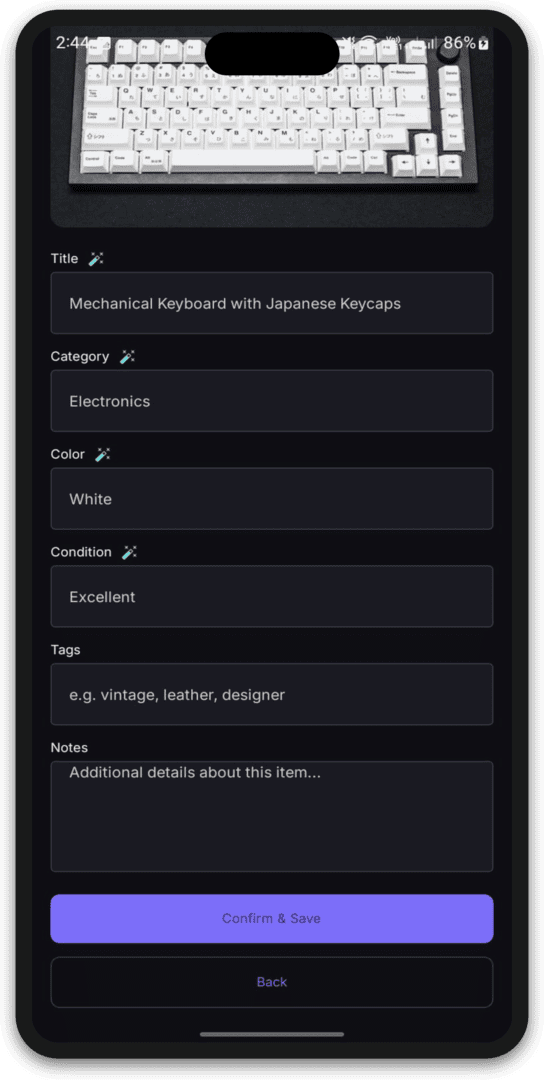 |
| Dashboard | Item Detail | Settings |
|---|---|---|
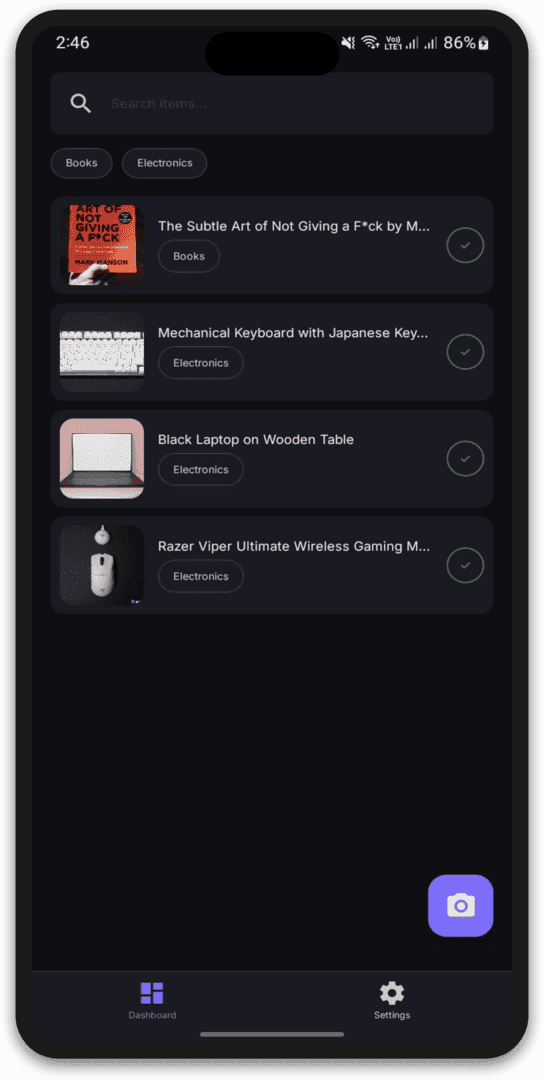 | 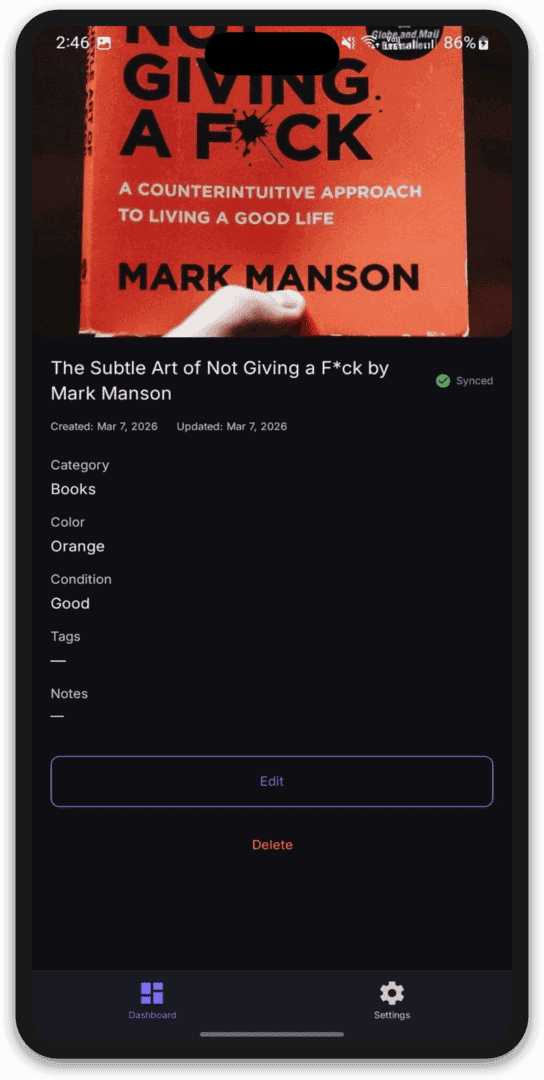 | 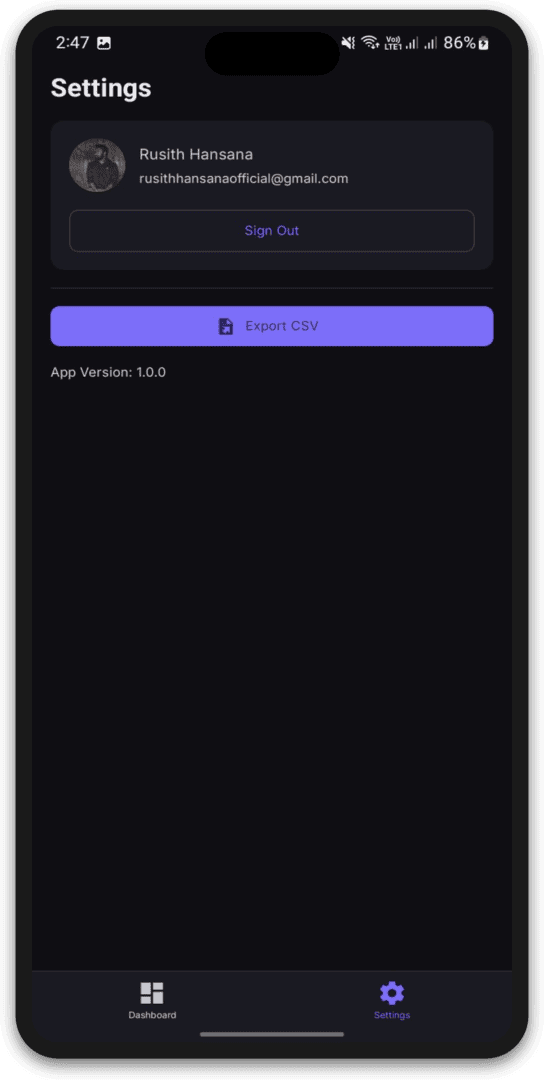 |
Features
- 📸 AI-Powered Cataloging — Point, shoot, and automatically extract title, category, color, and condition properties using Gemini 2.5 Flash.
- ✏️ Review & Confirm UI — Suggested fields are presented in a pre-filled review form, allowing quick confirmation or manual editing.
- 📡 Offline-First Storage — Items are saved locally with MMKV persistence when offline, automatically syncing to Firestore upon reconnection.
- 📊 One-Tap CSV Export — Export and share your full inventory catalog as a spreadsheet-ready CSV file instantly.
- 🔐 Authentication Options — Google Sign-in for cloud-synced accounts and anonymous sign-in to try out cataloging immediately.
- 🛡️ Cloud Functions Rate Limiting — Server-side limiting of 20 AI scans per hour to keep platform operational costs predictable.
Tech Stack
- Frontend (Mobile): React Native, Expo SDK 54, TypeScript, MMKV Storage
- Backend & Services: Firebase (Authentication, Cloud Firestore, Cloud Storage)
- AI Integration: Google Gemini 2.5 Flash via Serverless Cloud Functions
- Infrastructure: Firebase Cloud Functions (Node.js 20 LTS)
Architecture Highlights
SnapLog uses a modern, client-heavy mobile architecture with serverless operations.
Offline-First & MMKV Sync
Using high-speed MMKV storage, SnapLog operates completely offline. If a network connection is unavailable, item records and their corresponding image paths are queued. A background sync manager watches for Firebase connection state changes to batch upload files to Cloud Storage and save metadata in Firestore.
Secure Serverless AI Processing
To protect API keys and prevent abuse, the Gemini SDK is not bundled with the mobile client. Instead, images are uploaded directly to Cloud Storage, triggering a secure Firebase Cloud Function. This serverless backend calls the Gemini API, extracts structured JSON using schema guards, and enforces user-level rate limiting, ensuring the front-end remains lightweight and cost-controlled.